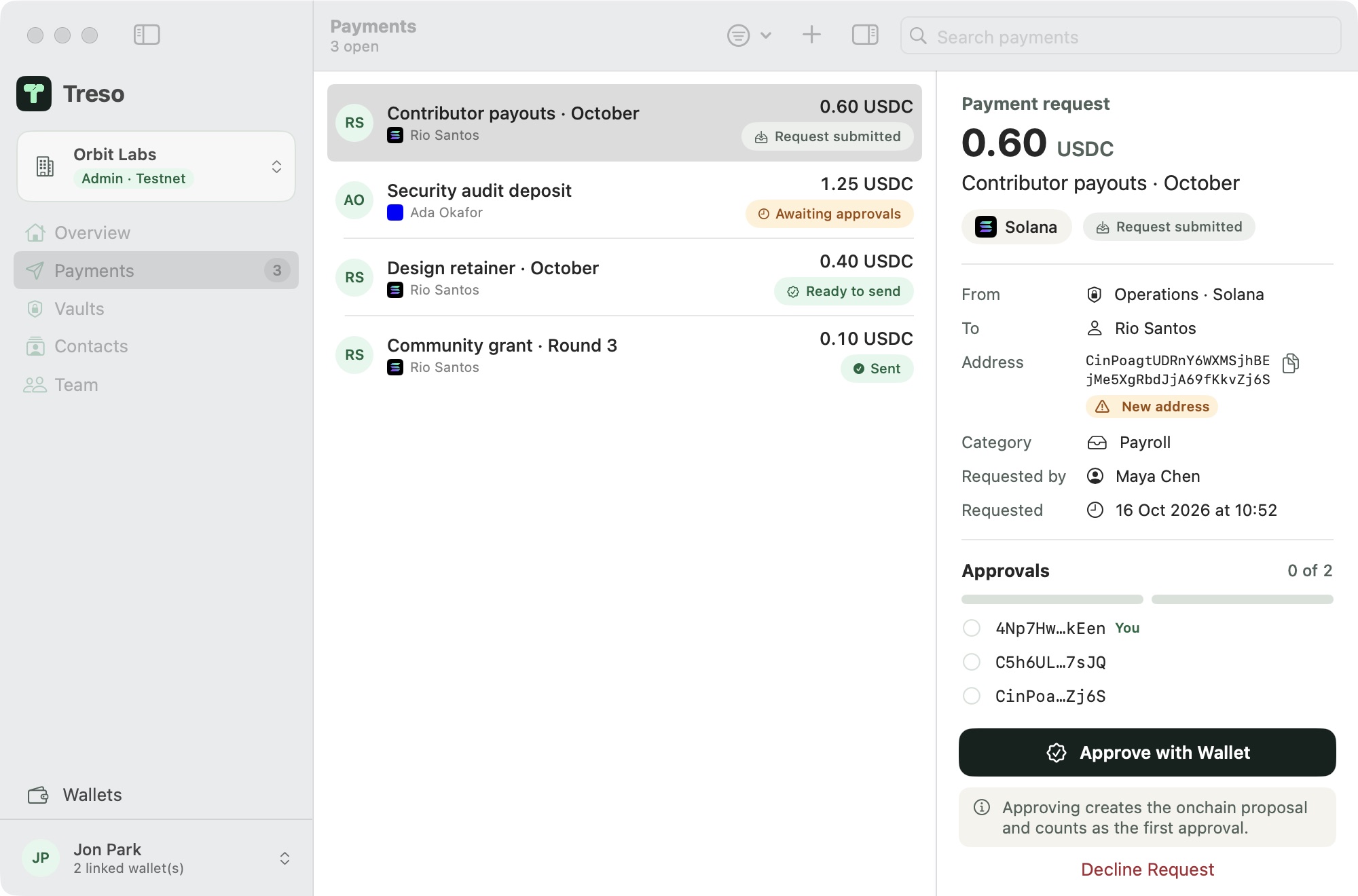
Every payment, every approval, in one calm app
See what's waiting on you, what's ready to send and what already went out, across every vault on both chains.
The life of one payment
-
Maya requests it
Who gets paid, how much, from which vault, and why. It lands in every signer's queue at once.
-
Ada approves in her wallet
Treso shows exactly what she is signing, and the vault records her approval onchain.
-
Jon approves with Touch ID
No browser, no extension. His key is sealed in his Mac's Secure Enclave and only his fingerprint opens it.
-
Sent, with a receipt
Two of three agreed, so the vault pays Rio. Everyone sees the transaction and the full history.
 Operations
Built for how small teams pay
- ContributorsMonthly payouts to the people who build with you.12,400.00 USDCReady to send
- VendorsAudits, infrastructure, design and legal, approved by the right people.3,250.00 USDC1 more approval
- Grants and bountiesPay out from a community or ecosystem fund with a public trail.5,000.00 USDCApproved
- ReservesKeep runway in cold storage and move it only when the team agrees.82,000.00 USDCCold storage
Sign your way
Every signer chooses. Mix both in the same vault.
Your own wallet
Approve in the wallet you already trust. It opens in your browser, and Treso never sees the key.
Touch ID on your Mac
Create a signer in Treso. Its keys are sealed by the Secure Enclave, and every approval asks for your fingerprint or password.
Sealed to this Mac
Bring the vaults you already have
Treso connects to Squads multisigs on Solana and Safes on Base in a minute. Nothing moves and nothing is migrated. Or create new vaults from Treso, see one balance across both chains, and change signers or the rule later, approved by the signers themselves.

Treso never holds your funds.
- No custody
- Your money lives in your onchain vaults. Treso's servers keep team data like names and requests, never keys, and cannot move funds.
- Keys stay on your Mac
- Touch ID signers and cold-storage wallets are sealed by the Secure Enclave and open only with your fingerprint. Lose the Mac and your other signers replace it; the vault is unaffected.
- Checked before you sign
- Treso refuses anything that doesn't match the request, and the vault itself enforces your approval rule.
- Never locked in
- Your vaults are standard Squads and Safe accounts. If Treso were ever unavailable, they keep working in the Squads and Safe apps.
Flat pricing, never a cut of your treasury.
Network fees go to the blockchain, not to Treso, and are always shown before you sign.
$9.99per workspace, per month
- Free during the beta
- Every member and every vault included
- One-time 0.1 SOL setup fee
- No fee on the value you move
Questions
Does Treso hold our funds?
No. Funds stay in your own Squads and Safe vaults. Treso prepares transactions; your signers approve them in their wallets or with Touch ID, and the vault enforces your rule.
We already use Squads or Safe. Do we have to move anything?
No. Connect your existing vaults and keep using them as they are. Your signers, rules and history stay onchain.
What happens if Treso is down?
Your funds are unaffected. Vaults are standard Squads and Safe accounts, so you can always act on them directly in those apps.
Which wallets can sign?
Phantom, Jupiter, Solflare and other Solana wallets; MetaMask, Rabby and other Ethereum wallets on Base; or a Touch ID signer created in Treso on your Mac.
Why a Mac app?
Treasury work deserves a calm, fast, native tool, and the Mac's Secure Enclave lets Treso keep keys sealed to your device behind Touch ID.
What does it cost?
Free during the beta. Then US$9.99 a month per workspace and a one-time 0.1 SOL setup fee. No per-member pricing and no fees on the value you move.